
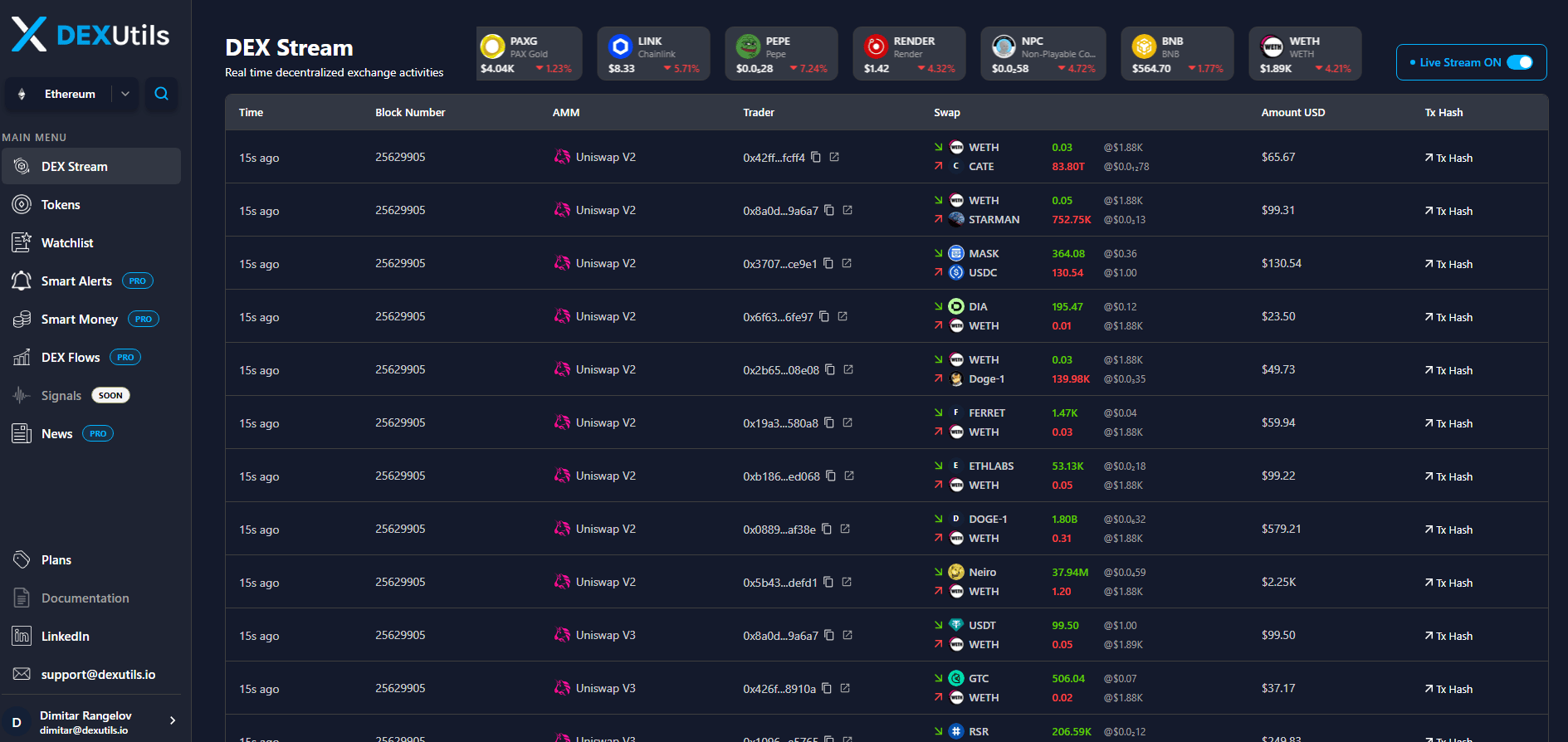
- Current token price
- 24-hour price change
- Token symbol and logo
- Time - Displays how long ago the transaction occurred, allowing you to identify the most recent market activity.
- Block Number - The blockchain block containing the transaction. Multiple trades may share the same block when they are confirmed together.
- AMM - Shows the Automated Market Maker (DEX) where the trade was executed, such as
Uniswap V2,Uniswap V3, or other supported protocols. - Trader - Displays the wallet address that executed the trade.
- Swap - Shows both sides of the transaction. Green arrow shows the token purchased while the Red arrow shows the token sold.
- Amount USD - Displays the estimated USD value of the entire swap, making it easier to compare transactions regardless of token type.
- Tx Hash - Provides a direct link to the blockchain transaction, where you can inspect the complete transaction details, gas fees, logs, and token transfers.