
Prepare your Telegram Group
Get Your Telegram Group ID
- Add
@myidbotinto your created telegram group. - Run
/getgroupid@myidbotto get your telegram group id.
Invite DEXUtils bot
Invite @dexutils_bot to your Telegram group to receive real-time smart alerts directly in the group. Once added, the bot will automatically post notifications for tracked wallet token transfers and DEX trades.Token Transfers Smart Alert
Token Transfer Smart Alerts notify you whenever a specified wallet sends or receives supported tokens. You can monitor all token transfers or limit notifications to selected tokens and transaction value ranges. Alerts are delivered directly to your configured Telegram group.Create Smart Alert
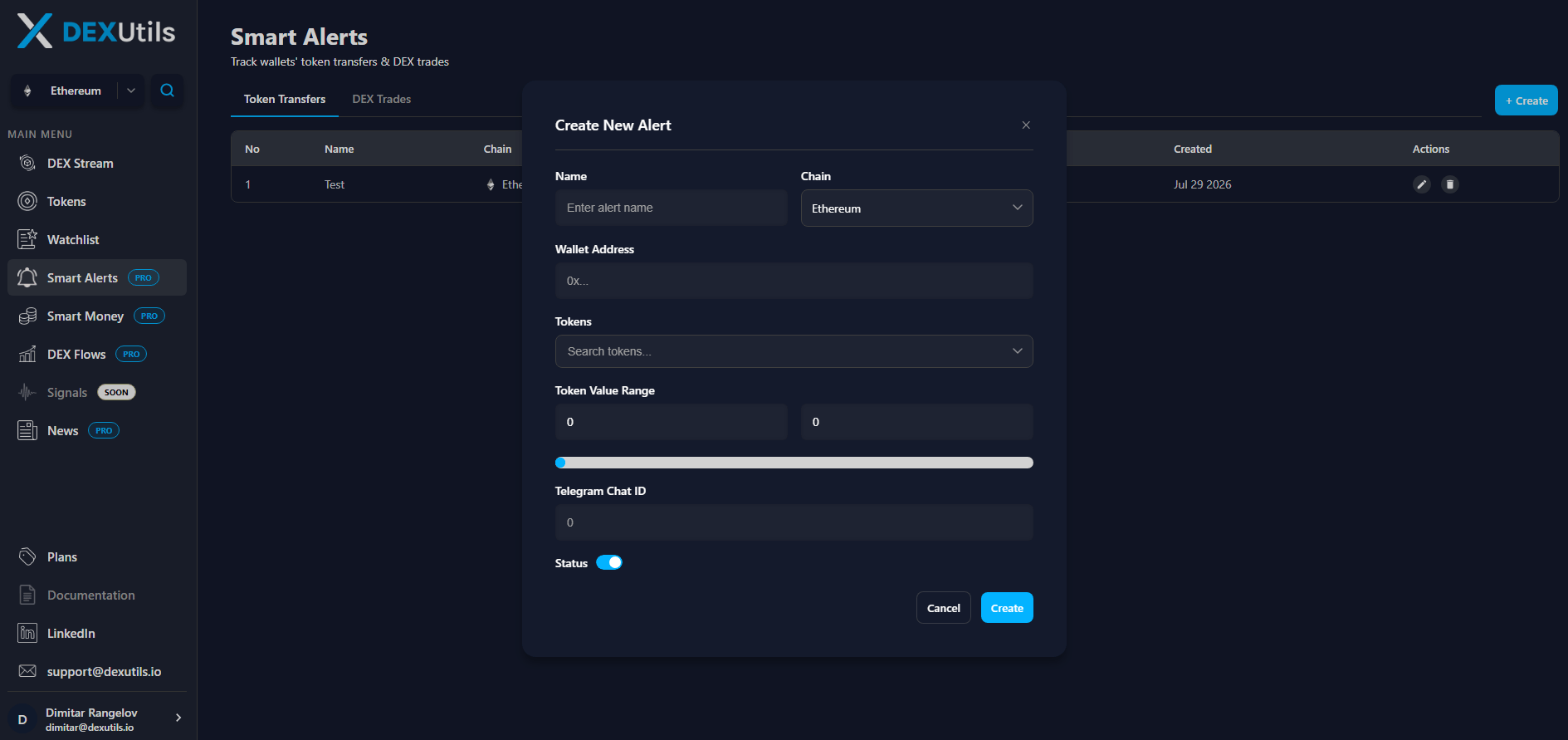
- Name - Enter a descriptive name to help identify the alert.
- Chain - Select the blockchain network where the wallet is located.
- Wallet Address - Enter the wallet address you want to monitor for token transfer activity.
- Tokens - Optionally select one or more tokens to monitor. Leave this field empty to receive alerts for all supported token transfers made by the wallet.
- Token Value Range - Specify the minimum and maximum token value for transfers that should trigger an alert. Only transfers within the selected range will generate notifications.
- Telegram Group ID - Enter the Telegram Group ID where notifications should be sent. This is the telegram group that has @dexutils_bot added.
- Status - Enable or disable the alert without deleting it.
Update & Delete Smart Alert
After creating an alert, you can edit or delete it at any time from the Smart Alerts table.DEX Trades Smart Alert
DEX Trades Smart Alerts notify you whenever a specified wallet executes a trade on a supported decentralized exchange. You can monitor all DEX trades or filter alerts by specific tokens and trade value ranges. Alerts are delivered directly to your configured Telegram group.Create Smart Alert
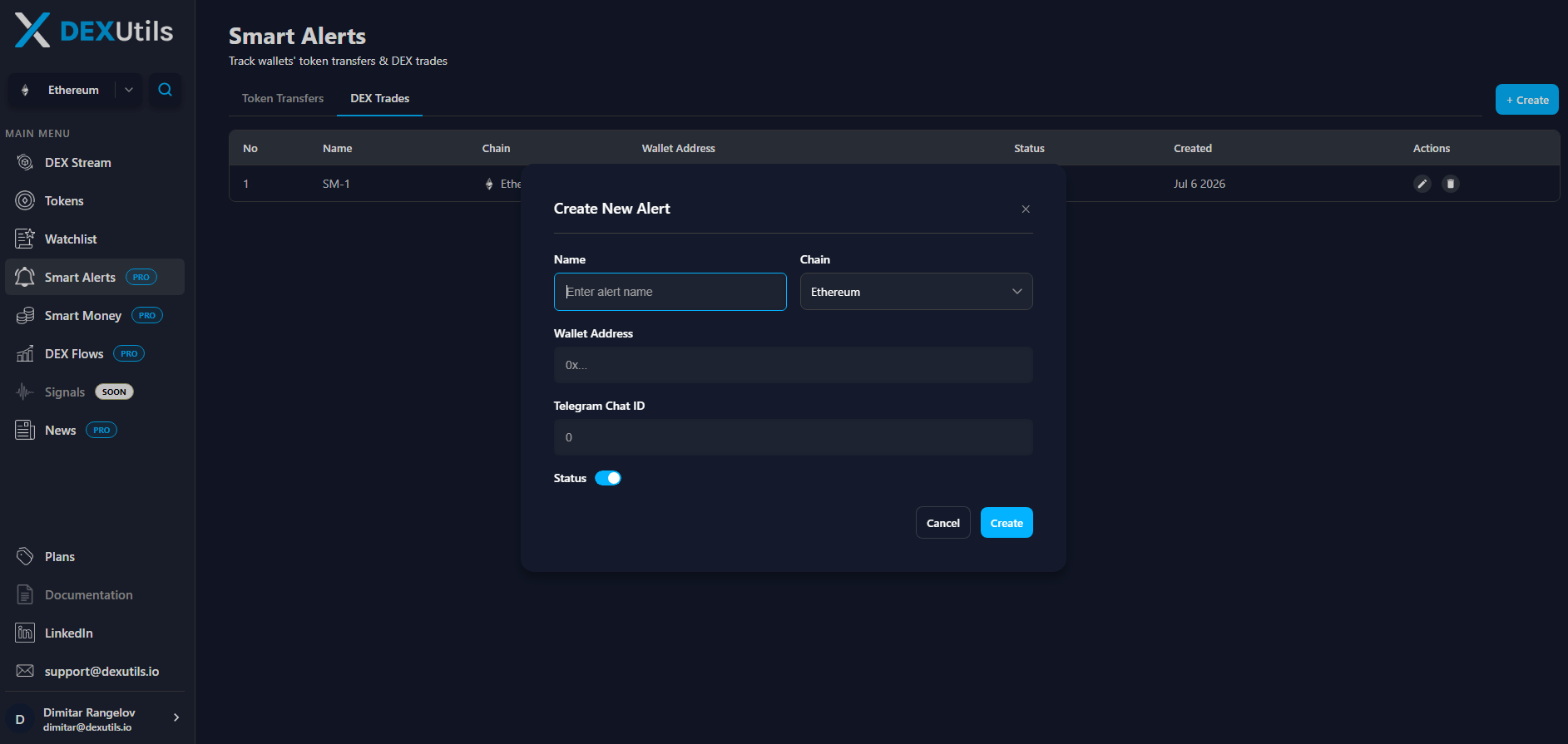
- Name - Enter a descriptive name to help identify the alert.
- Chain - Select the blockchain network where the wallet is located.
- Wallet Address - Enter the wallet address you want to monitor for DEX trades activity.
- Telegram Group ID - Enter the Telegram Group ID where notifications should be sent. This is the telegram group that has @dexutils_bot added.
- Status - Enable or disable the alert without deleting it.