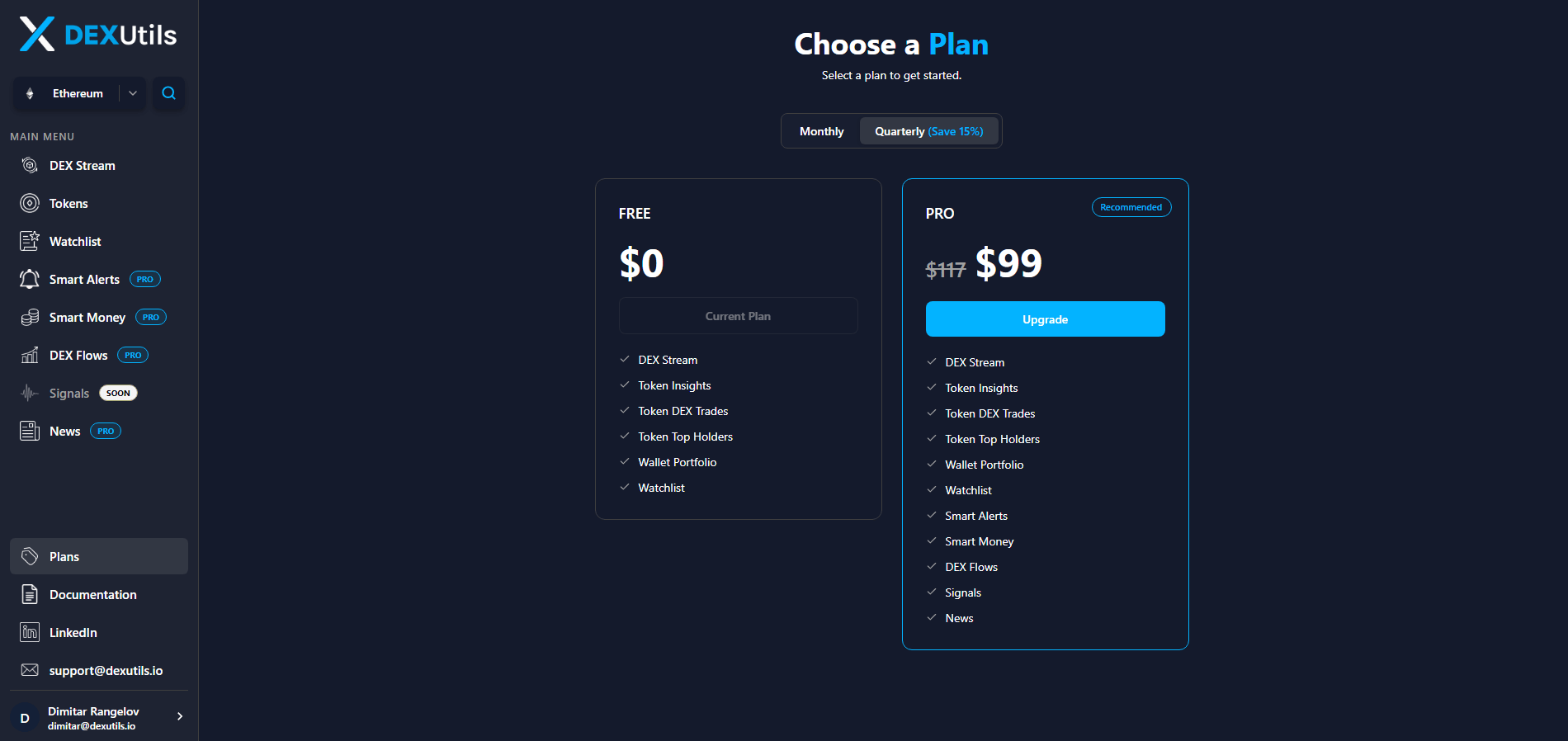
The Plans page allows you to compare available DEXUtils subscription plans and choose the one that best fits your trading or development needs. Each plan unlocks a different set of platform features and premium tools, making it easy to find the right level of access based on your requirements.

Plan Comparison

Top up Balance

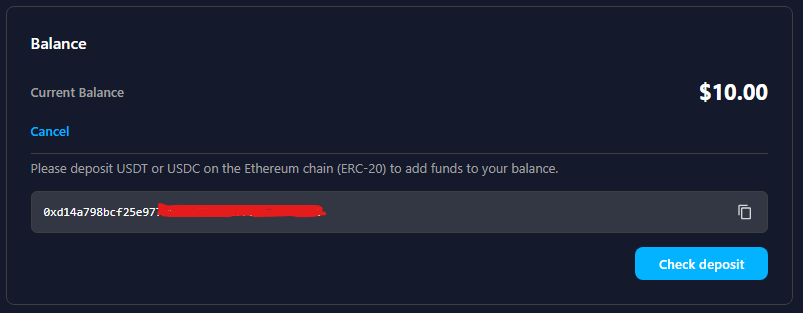
Navigate to your Profile page and click the Top up balance button located in the bottom-right panel. A deposit dialog will display your unique wallet address, which you can use to fund your DEXUtils account.
Image
Currently, only USDT and USDC on the Ethereum network are supported. The minimum deposit amount is 10 USDT or 10 USDC. After your transfer has been confirmed on the blockchain, click the Check deposit button. DEXUtils will verify the transaction and automatically update your account balance once the deposit is detected.

Upgrade Your Plan

Navigate to the Plans page and choose the PRO subscription that best fits your needs. DEXUtils offers both Monthly and Quarterly billing options, with the Quarterly plan providing a 15% discount compared to the monthly subscription.
Image
Click Upgrade to proceed to the payment process. Once your payment is successfully completed, your account will be automatically upgraded and all PRO features will become available immediately.

Cancellation Policy

You can downgrade your subscription at any time from the Plans page. After downgrading, your current subscription will remain active until the end of the current billing period, and you will continue to have access to all PRO features during that time. Your subscription will not renew, and you will not be charged on the next billing date unless you subscribe again.